Send money with the Ria app in United States.
Send money to 190+ countries in just a few taps. Check exchange rates, choose how your money is delivered, and track your transfer in real time, all in the Ria app.
)
)
Fast and secure money transfers
What you can do with the Ria app

Send money in just a few taps. Review the details and complete your payment securely from your phone.

See real-time exchange rates before you send and know exactly how much money your friends or family will receive.

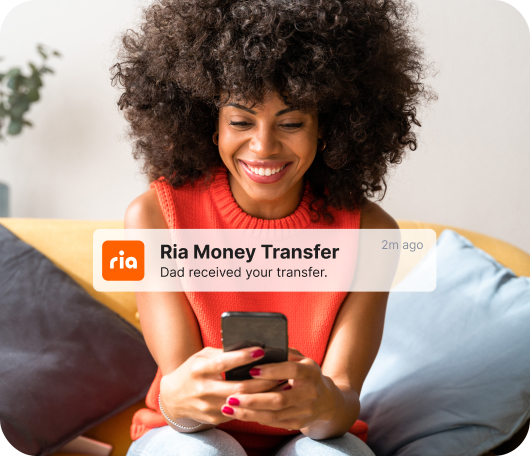
Stay connected with real-time updates about your transfer's status. You'll always know when your money is on its way and when it’s been delivered.

Send a direct bank deposit or choose from other available delivery options, like cash pickup or digital wallet, depending on the destination.
3 easy steps to send
How to send money with the Ria app


Choose the destination country, enter an amount, and select how your recipient will receive the money.
Check the exchange rate, fees, and delivery time before securely completing your payment.

Track your transfer in real time and know exactly when your friends or family receive the funds.


New to Ria?
Send your first transfer with $0 fee
Our app makes it simple to send money to friends and family in 200+ countries. Get $0 transfer fee on your first transfer with code: HELLORIA. Terms and conditions apply.
)
)
)
)
ฉันจะได้รับแอป Ria Money Transfer ได้อย่างไร
คุณสามารถดาวน์โหลดแอปได้จาก
App Store
หรือ
Google Play
.
หรือคุณสามารถสแกน QR code ที่ด้านบนของหน้านี้โดยใช้กล้องของโทรศัพท์ของคุณ
ฉันจะสมัครสมาชิก Ria เพื่อเริ่มส่งเงินผ่านแอปได้อย่างไร
การสมัครสมาชิก Ria นั้นง่ายมาก ขั้นตอนที่คุณจะทำนั้นขึ้นอยู่กับสถานที่ตั้งของคุณ
สร้างบัญชี Ria ในสหรัฐอเมริกาหรือแคนาดา:
1. ดาวน์โหลดแอป Ria แล้วแตะปุ่ม "Register"
2. ยืนยันประเทศปัจจุบันของคุณ
3. ป้อนที่อยู่อีเมลของคุณและเลือกรหัสผ่าน
4. ยอมรับข้อกำหนดและเงื่อนไขของ Ria
5. ป้อนชื่อเต็ม วันเกิด และหมายเลขโทรศัพท์ของคุณ แล้วแตะ "Continue"
6. เลือกที่จะสมัครรับโปรโมชั่น ส่วนลด และข้อเสนอพิเศษอื่นๆ หรือแตะ "Not now" เพื่อปฏิเสธ
7. ป้อนที่อยู่จดหมายของคุณแล้วแตะ "Continue"
8. เลือกและตอบคำถามความปลอดภัยสามข้อเพื่อปกป้องบัญชีของคุณ
สร้างบัญชี Ria ในทุกที่อื่น:
1. ดาวน์โหลดแอป Ria แล้วแตะปุ่ม "Register"
2. ยืนยันประเทศปัจจุบันของคุณ
3. ป้อนหมายเลขโทรศัพท์ของคุณและยืนยันโดยป้อนรหัส 6 หลักที่เราส่งให้คุณ
4. เลือกรหัสผ่าน
5. ยอมรับข้อกำหนดและเงื่อนไขของ Ria
6. ป้อนชื่อเต็ม ที่อยู่อีเมล และวันเกิดของคุณ (เราอาจขอข้อมูลประเทศเกิด สัญชาติ อาชีพ และข้อมูลบัตรประจำตัวของคุณด้วย) แล้วแตะ "Continue"
7. เลือกที่จะสมัครรับโปรโมชั่น ส่วนลด และข้อเสนอพิเศษอื่นๆ หรือแตะ "Not now" เพื่อปฏิเสธ
8. ป้อนที่อยู่จดหมายของคุณแล้วแตะ "Continue"
เรียนรู้เพิ่มเติมเกี่ยวกับการสร้างบัญชี Ria
ที่นี่
.
ฉันต้องให้ข้อมูลอะไรบ้างเพื่อส่งเงินผ่านแอป Ria
เพื่อปกป้องลูกค้าของเราและให้ประสบการณ์ที่ดีที่สุด เราจะขอข้อมูลพื้นฐานของคุณ รวมถึงชื่อ วันเกิด หมายเลขโทรศัพท์ และที่อยู่อีเมล และบางครั้งอาจขอข้อมูลอื่นๆ ด้วย
คุณจะต้องให้ชื่อผู้รับเงินและข้อมูลติดต่อพื้นฐานด้วย เพื่อให้แน่ใจว่าการส่งเงินปลอดภัย ซึ่งมักจะรวมถึง
• ชื่อผู้รับเงินตามที่ปรากฏในบัตรประจำตัวที่ออกโดยรัฐบาล
• ชื่อเมืองที่ผู้รับเงินอาศัยอยู่
• จำนวนเงินสดที่คุณจะส่ง
• รายละเอียดการชำระเงินเพิ่มเติม เช่น หมายเลขบัตรเครดิต หมายเลขบัตรเดบิต หรือบัญชีธนาคาร
• รายละเอียดการรับเงินเพิ่มเติม เช่น หมายเลขบัญชีธนาคาร หรือสถานที่รับเงินสด
แอปโอนเงินปลอดภัยหรือไม่
เราให้ความสำคัญกับความปลอดภัยของลูกค้าทุกคน เราปฏิบัติตามนโยบายและขั้นตอนที่เข้มงวด และใช้เทคนิคต่างๆ เพื่อปกป้องข้อมูลส่วนตัวของคุณ รักษาความปลอดภัยของการทำธุรกรรม และป้องกันกิจกรรมที่ผิดกฎหมาย
คุณสามารถเรียนรู้เพิ่มเติมได้ในส่วน
นโยบายความเป็นส่วนตัว
ของเรา